Seamless presentation switching and how it prevents AV delays
A presentation change should be invisible to the audience. Seamless presentation switching for conferences moves between video sources without a visible pause, so the display can change from one source to another without a momentary black screen while the next presenter connects.
The problem is familiar: a speaker changes devices, the screen drops out, and the room waits for the signal to return. Frame-aligned changeovers help prevent this by matching incoming video signals for timing and frame rate, reducing glitches when sources are not synchronised.
This article explains what seamless switching means, how frame alignment works and why it matters in conference AV systems. It also covers how switchers handle multiple sources, where delays can arise and how careful system design helps presentations move cleanly between speakers and content.
Table of Contents
What Is seamless switching?
Seamless switching changes between video inputs in zero seconds, without a visible pause on the display. In New Zealand, practical AV requirements depend on the venue’s room layout, display system, signal routes and mix of in-person and remote presenters.
Switchers, Matrices and Video Processors
A presentation switcher selects an incoming source, a matrix routes sources to different outputs, and a video processor adjusts signals for display. Together, these devices determine which laptop, camera or media source appears on each screen. For example, a corporate conference could show a presenter’s laptop on the main screen while routing a camera feed to a separate display.
Some HDMI switchers have four inputs, two outputs and an audio output, illustrating how sources and destinations connect. A processor can also manage signal formatting for a video wall, where several display panels form one image. The right arrangement depends on the room’s screens, source devices and routing requirements.
Changing Video Inputs Without Black Frames
Switching without black frames means moving from video input A to input B without a visible blank screen or signal loss. The change happens during the active period of the vertical synchronisation signal, a process described as zero latency. This matters when a speaker moves from slides to a live camera image, because the audience can continue following the content.
Some low-end AV models may show a black screen or lose signal during a source change. A frame synchroniser helps by aligning incoming signals with different timing and frame rates before switching. This is useful when a boardroom combines a laptop with a video conferencing camera, or when a conference centre routes several sources to a large display.
Cameras, Audio and Signal Routing
Video conferencing cameras, audio systems, switchers and signal routers work together to send the right picture and sound to each destination. A router directs a chosen source along its signal path, while a switcher selects what viewers see. For example, a meeting can move from a speaker’s laptop to a camera view without changing the room setup.
Audio also needs deliberate routing. If the picture changes but the sound stays on the previous source, the audience may hear the wrong feed. An integrated system maps audio and video sources together, so a camera change can align with the corresponding microphone feed. This is particularly relevant when presenters and remote participants share a session.
Conference centres, boardrooms and video walls each place different demands on switching. A single boardroom display may need laptop and camera inputs, while an interactive video wall can show content from several sources. Networked presentation switchers can also centrally manage AV equipment, lighting and environmental controls from one interface, helping staff coordinate room changes.
Reducing connection delays and technical interruptions
Connection delays often begin before a switch: a device needs to connect, the display must recognise its signal, or the room’s routing must change. Seamless presentation switching for conferences depends on preparing those paths so the next source is ready when a presenter takes over.
What backup systems can prevent presentation failures during a live event? A prepared alternative source, such as a second presentation device or a locally stored copy of the slides, gives the operator another option if the primary device fails. Spare signal cables and an alternate input can also help restore the picture without rebuilding the room setup.
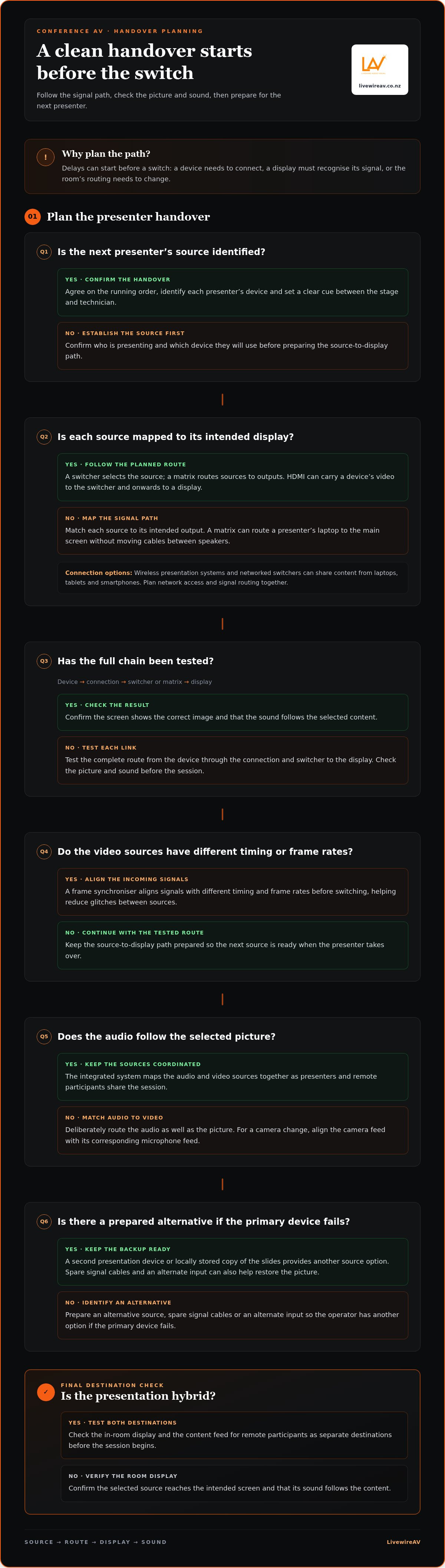
How can presenters and AV technicians prepare for smooth handovers? Agree on the running order, identify each presenter’s device and test the source-to-display path before the session. A clear cue between the stage and technician helps bring the next source live at the right moment.
HDMI connections carry video from a laptop or other device to a switcher, then onwards to a display. A networked presentation switcher with an AV matrix function lets meeting-room users connect to a display for sharing and presentations. The matrix assigns sources to destinations, so staff can route a presenter’s laptop to the main screen without moving cables between speakers.
Connection design matters in larger rooms. SDVoE products can extend HDMI connectivity over standard copper category cabling, such as Cat-6a, for a reach of up to 100 m. That allows equipment and displays to sit further apart while retaining a routed signal path. The route still needs to suit the venue, devices and display locations.
A conference-room network can also make source changes easier to manage. Wireless presentation systems and networked switchers can share content from laptops, tablets and smartphones without physical connections. For example, a presenter can move from a laptop to a tablet while the switcher directs the selected source to the room display. Plan network access and signal routing together, rather than treating them as separate tasks.
To reduce interruptions, map each source to its intended output and test the full chain: device, connection, switcher and display. Check that the screen shows the correct image and the sound follows the selected content. A matrix can route different sources to separate displays, but its configuration needs to match the session’s requirements.
Room requirements can change as meetings add remote presenters, more devices or additional displays. A planned signal route makes those changes easier to accommodate and helps protect session flow. For a hybrid presentation, test the in-room display and the content feed for remote participants as separate destinations before the session begins.
Frame-aligned signal changeover
Video sources do not always send images at the same time or frame rate. A laptop presentation, a video conferencing camera and a playback system can each deliver a different signal rhythm. If a switcher cuts between them before their frames align, the screen may show a brief glitch, an uneven transition or a momentary picture disturbance. Frame alignment helps the change look continuous to the audience.
A frame synchroniser adjusts incoming video signals so their timing and frame rate align before the switch. It gives the system a common reference for presenting each source, rather than asking the display to handle an abrupt change between mismatched signals. For example, a session can move from slides to a camera shot while the synchroniser prepares the camera feed for the same output path.
Genlock and timecode help align multiple video and audio sources for smooth broadcast switching. Genlock provides a shared timing reference, while timecode identifies positions within media. Together, they help coordinate sources such as several cameras and a playback feed. In a conference panel, the production team can switch between a wide camera view, a panellist close-up and presentation content with greater timing consistency.
The difference matters most when a presentation combines live and recorded material. A pre-produced video may follow one timing pattern, while a live camera follows another. Aligning those feeds helps maintain a stable screen image during the transition. It also supports audio and video coordination, so a camera change does not leave the picture and its corresponding sound noticeably out of step.
Frame alignment is part of the signal chain, not a visual effect added after a glitch. The incoming source passes through synchronising and processing stages before reaching the display. The system configuration needs to account for the sources in use, their timing and the destination screen. A background presentation loop, for instance, should be treated as another input when live speakers and video playback share the same output.
For conference teams, this means considering switching behaviour during system design and rehearsal. Test the actual sources in sequence: presentation computer to camera, camera to playback, then back to slides. Watch the screen during each transition and listen for audio continuity. These checks can expose timing mismatches before the audience arrives and help the operator understand how each source behaves.
Frame-aligned changeovers do not make every source identical; they coordinate their output at the point of switching. That distinction explains how a system can handle varied devices without requiring presenters to use the same source. For seamless presentation switching at conferences, alignment supports an uninterrupted viewing experience while keeping each speaker’s content clear.
Seamless switching in presentation AV systems
A presentation AV system coordinates sources, outputs and control so speakers can change content without avoidable pauses. Its capabilities depend on how local displays, cameras and remote feeds are connected.
Switching Between Presenters
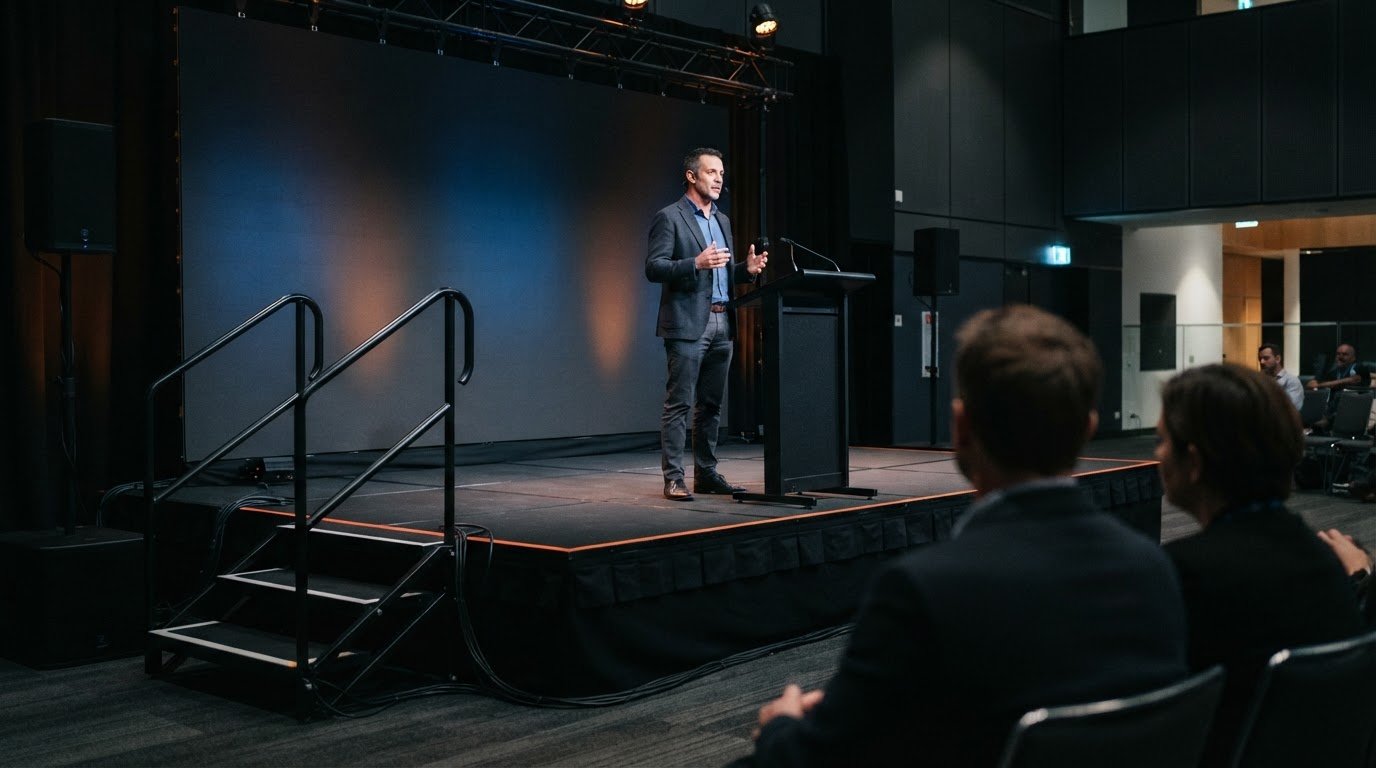
Switching between presenters means selecting the next speaker’s source and routing it to the intended display. This matters because a laptop change, camera view or remote contribution should fit the session’s running order without distracting the audience.
For example, a conference session might move from one speaker’s slides to a second presenter’s laptop, then to a camera view. A video switcher selects the active source, while a signal router sends it to the required screen. Wireless presentation systems can share content from laptops, tablets and smartphones without physical connections, giving presenters another way to contribute.
A smooth handover depends on matching the source to the next cue. The operator needs to know whether the next item is a slide deck, video or remote feed, because each uses a different signal path. This preparation helps create a clear visual transition and keeps the session moving.
Delay-Free AV Changeovers
A delay-free changeover switches the displayed source without an avoidable pause as the system changes inputs. This matters because a visible wait can interrupt a speaker’s point and leave the audience unsure whether the next item is ready.
A typical HDMI presentation switcher can have four inputs, two outputs and an audio output. That configuration can support several sources and destinations, depending on the system design. For instance, one output can feed the room display while another carries the selected content to a separate destination.
Local switching and remote delivery are different parts of the signal chain. A room display may change sources smoothly, while a remote participant’s view may still be affected by the livestream or network path. Treat these as separate destinations during planning: test the in-room screen, then confirm the selected content reaches remote viewers through the event setup.
Check each source in the planned order before the session. Test a laptop, a camera and a remote contribution, then confirm the intended display and audio follow each selection. This practical sequence can reveal an incorrect route or unsuitable input before presenters take the stage.
For a panel, the operator can move from a shared slide to the active speaker’s camera, then return to the slides. The system’s switching and routing should support those cues, with the next source ready for the presenter handover. Separating local display latency from remote transmission delay helps teams identify where an interruption occurs and respond appropriately.
How do conference AV systems switch between presenters without delays?
Conference AV systems switch presenters by selecting the next content source and routing it to the room display. A wireless presentation system or networked switcher can share content from laptops, tablets and smartphones without physical connections. The operator follows the session cues while the system directs each selected source to its intended destination.
Preparation starts with the running order. For example, a session may move from a presenter’s slides to a remote speaker, then to a panel discussion. Identify a source and destination for each item. The operator can then select the next feed on cue, rather than pausing to find the right device or route. This is particularly useful when several presenters share different devices.
A networked presentation switcher with an AV matrix function lets meeting-room users connect to a display for sharing and presentations. The matrix manages which source reaches which output. In a conference room with a main screen and a confidence display, the selected presentation can be routed to the required screens. The route should reflect the session plan, not just the available connections.
Wireless sharing can simplify presenter handovers, but it still needs a clear operating process. The incoming speaker should have the intended file open and ready to share. The technician selects the correct device, confirms its content appears on the room display, then hands over the visual focus. For a remote presenter, the team also needs to select the remote feed and route its audio and picture to the appropriate destinations.
Clear cues connect the people and equipment. A stage manager or chair can introduce the next speaker while the operator prepares the named source. For instance, a cue such as “slides ready” distinguishes a laptop handover from a camera or remote contribution. That simple shared language reduces uncertainty about which input should go live.
Audio needs to follow the session as carefully as the image. If the display changes from slides to a remote speaker, the audience must hear that speaker’s feed, not the previous presenter’s microphone. An Audio Line Array System supports room sound, while the AV routing plan determines which source is heard. Test both picture and sound through the planned sequence, including the transition to the next presenter.
Rehearsal should follow the actual order of the conference, not a generic equipment check. Run each handover, including laptop-to-laptop, slides-to-camera and in-room-to-remote. This reveals mismatched labels, incorrect routes and cues that need clarification before attendees arrive. To plan coordinated conference sound and switching, discuss your conference AV requirements.
LivewireAV: Full Technical Production
LivewireAV provides Full Technical Production for conferences where presentation switching, room audio and display requirements need to work together. It is a practical option when sessions combine several speakers, presentation sources or remote participants and the AV setup needs to support each changeover.
Depending on the event, Hybrid & Livestream Events can support remote participation, while LED Walls & Projection and Audio Line Array Systems address visual and sound requirements. Planning these elements together helps align the room setup with the session format, venue and audience experience.
If your conference needs coordinated technical production, contact LivewireAV to discuss your event or visit livewireav.co.nz.
Plan the AV around the moments that matter
Make the next planning conversation about the experience you want each attendee to have, both in the room and online. Map the session flow, presenter needs and venue layout before deciding how AV should support each moment. That gives seamless presentation switching for conferences a clear purpose: keeping attention on the speaker and their ideas.
LivewireAV can coordinate technical production through Full Technical Production, Hybrid & Livestream Events, and LED Walls & Projection. These services can help shape a setup around your event format, display needs and remote audience, rather than treating each element in isolation.
Share your conference plans and discuss the AV setup with LivewireAV about your AV setup. A considered plan is a practical starting point for a composed, connected event.
Frequently Asked Questions
How does it work?
A conference switching system prepares each content source for the event’s display and audio destinations. The operator selects the next input, and the system routes it to the required output. For example, a session cue can prompt a change from a speaker’s deck to a video clip. Testing the actual sequence helps identify issues such as incorrect source labels or sound routed from the wrong device.
What does seamless presentation switching mean at a conference?
It means changing from one presenter or media source to another without a visible interruption that distracts the audience. The equipment may process the new input behind the scenes even when the change looks seamless. For a conference, the practical test is whether slides, video and camera views appear at the intended moment with the right sound, so the speaker can continue without waiting for the screen.
What equipment is needed for seamless presentation switching?
The setup depends on the sources and destinations in the venue. It may include a presentation switcher, signal routing, displays, source devices and the connections between them. A hybrid conference may also need cameras and equipment to deliver content to remote participants. Include audio equipment in the system plan so changing the visual source does not leave the room hearing an unrelated feed.
What are the best presentation switching systems for conferences?
The best fit is a system that supports the event’s actual inputs, displays, room layout and switching needs. A small meeting space may need fewer routes than a venue showing different content on multiple screens. Consider how the system handles presenters’ sources, how operators control it and whether it supports remote participation. Evaluate it using the planned session sequence, not a feature list alone.
How do you connect laptops and handle different presentation formats at a conference?
Connect each laptop to an assigned input, then check that its image and sound reach the intended destinations. Before the session, open each presentation and video on the device that will be used, since playback can differ from a file preview. Confirm slide proportions, fonts, embedded media and audio output on the venue display. Keep the presentation file ready on the presenting laptop to avoid an unplanned device change.
What are the risks of wireless presentation switching, and how can they be reduced?
Wireless sharing can be affected by network congestion, a device losing its connection or a presenter joining the wrong session. Reduce disruption by testing the room’s wireless setup with the actual devices, confirming the correct sharing destination and keeping a wired connection available as an alternative. Presenters should close unrelated content and notifications before sharing, particularly when displaying slides or confidential corporate material.
Comments