Seamless Hybrid Event Solutions: How to Connect Every Audience
What if the livestream is clear, but remote attendees still feel like spectators? A stable connection matters, but it won’t make the room and the screen feel like parts of the same event. Seamless hybrid event solutions start with one joined-up production plan that considers cues, audio, cameras, vision switching and livestream delivery together.
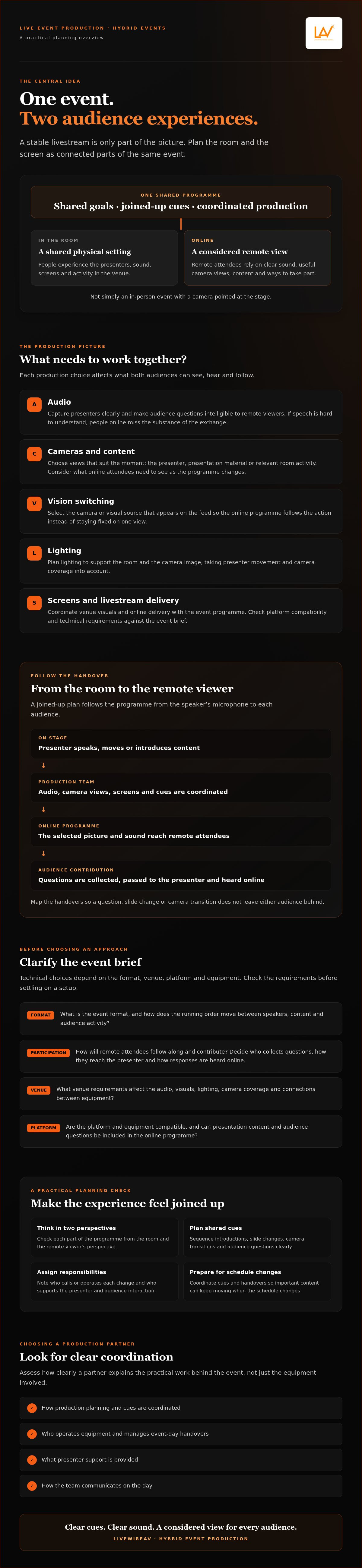
That coordination helps prevent awkward handovers and keeps important content moving when the schedule changes. It also gives online participants a clear way to follow and contribute, rather than asking them to make do with a camera pointed at the stage. For organisers, it means fewer disconnected decisions and a practical plan for what needs to work on the day.
In this guide, you’ll learn how to plan a coherent experience for in-room and remote audiences, which production elements need to align, and what to look for in a technical production partner. We’ll cover audio, video, lighting, livestream delivery and the role of experienced technicians, with practical checks to help you plan the event and its handovers.
Table of Contents
What seamless hybrid event solutions coordinate for both audiences
A hybrid event has one programme, but it needs to work through two different experiences. People in the room share the physical setting; remote attendees rely on the sound, camera view, content and opportunities to take part that reach them online. Both groups should receive the same key messages, even when the way they access them differs.
A hybrid event is a coordinated live experience for in-person and remote audiences, not an in-person event with a camera pointed at the stage. A room feed can show what is happening, but it doesn’t automatically give online attendees a clear view, intelligible speech or a way to follow audience discussion. Check each part of the programme from the remote viewer’s perspective as well as from the room.
What makes a hybrid event feel joined up?
Shared cues connect each part of the programme. A presenter’s introduction, a slide change, a camera transition and a question from the audience need to happen in a clear sequence. If a speaker refers to a question that remote viewers can’t hear, or a slide appears only on the venue screens, the audiences can lose track of the session.
Decide how remote attendees will access content and contribute. That could mean moderated questions, a discussion prompt or another format that suits the event. The aim isn’t to make both groups participate in exactly the same way. It’s to ensure each can follow the programme and has a considered route to engage. For every planned interaction, identify who will collect questions, how they’ll reach the presenter and how the response will be heard online.
Which parts of the event experience need coordination?
Production elements affect one another. A presenter moving across the stage changes what cameras need to cover; audience questions need to be heard by people online; and lighting needs to support both the room and the camera image. Audio clarity is especially important: if remote viewers can’t understand the speaker or question, they miss the substance of the exchange.
Plan the handovers between presenters, stage cues, camera shots and audience contributions. Vision switching can move between planned views so remote viewers see the speaker, presentation material or relevant room activity at the right moment. Note which content should be shown for each part of the running order, and who will call or operate each change. Lighting, cameras, audio and online delivery should be considered as connected requirements, not isolated equipment choices.
A webcast uses streaming media technology to deliver audio and video over the internet. For a hybrid event, online delivery needs to fit the programme and the production plan. Platform and equipment choices depend on the event brief, so check compatibility and technical requirements before settling on an approach.
These are the foundations of seamless hybrid event solutions: shared objectives, clear cues and production choices designed around both audiences. When those elements are planned together, the livestream becomes part of the event experience rather than a disconnected view into the room.
How integrated hybrid event production connects the room and livestream
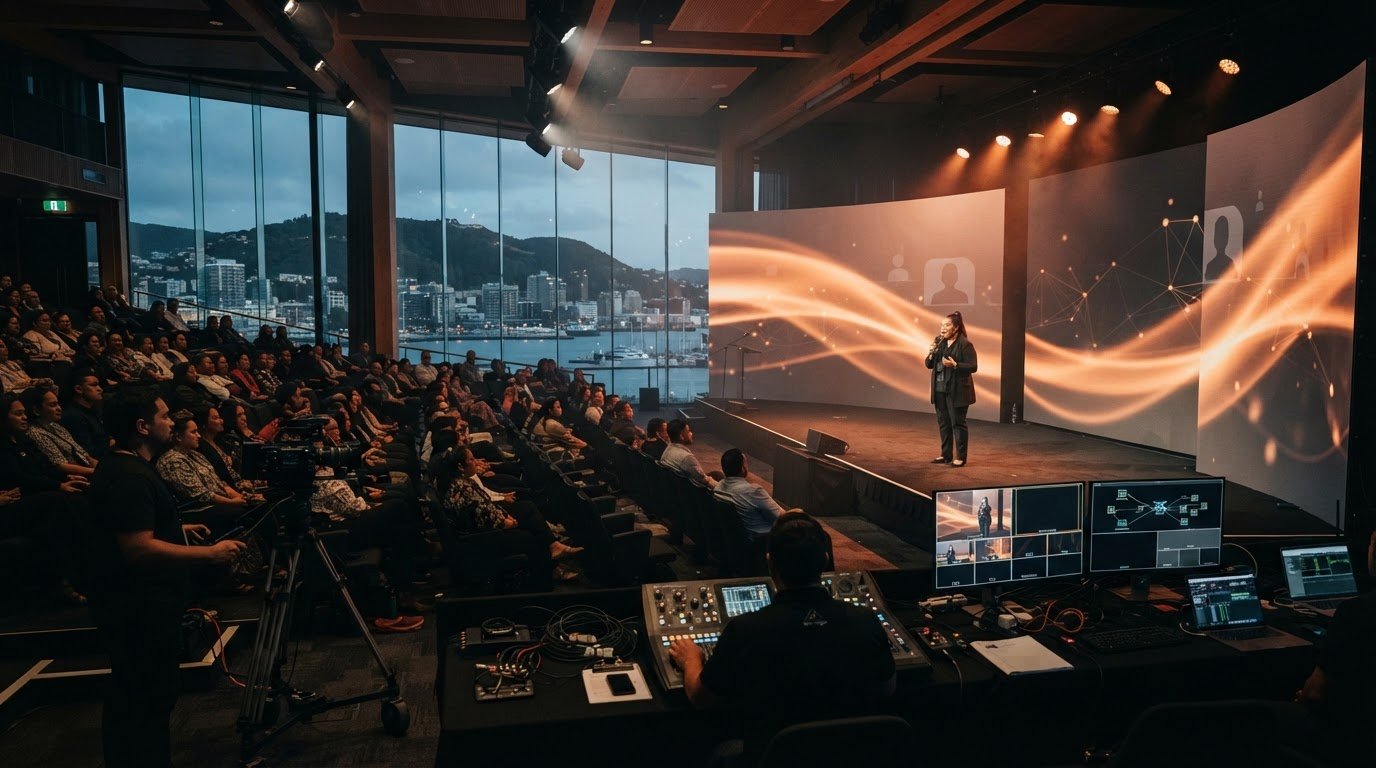
A joined-up production plan follows the programme from the speaker’s microphone to each audience. In the room, audio is delivered through the event sound system and visuals may appear on venue screens. For remote viewers, the production team selects camera views and prepares the picture and sound for online delivery. Each handover needs to be clear, so a change on stage is reflected in the online experience.
That path depends on the event format, venue, platform and equipment. Confirm how each component will connect before the event rather than assuming separate systems will work together on the day. Check platform compatibility and technical requirements against the event brief, including how presentation content and audience questions will be included in the online programme.
How audio, cameras and vision switching work together
A polished picture can’t make up for speech that’s hard to understand. Microphones need to capture presenters clearly, and audience questions need to reach remote viewers too. Camera coverage should support what’s being discussed: a presenter, a slide or an audience contribution. Vision switching is the selection of which camera or visual source appears on the feed at a given moment, helping the online programme follow the action rather than stay fixed on one view.
Before confirming equipment, identify the audio and visual sources needed for each part of the programme. Check that the planned camera views cover presenters and relevant activity, and that presentation material can be shown to online viewers when required. The exact signal workflow depends on the chosen equipment and platform, so confirm connections, required outputs and compatibility as part of production planning.
How technicians keep live cues coordinated
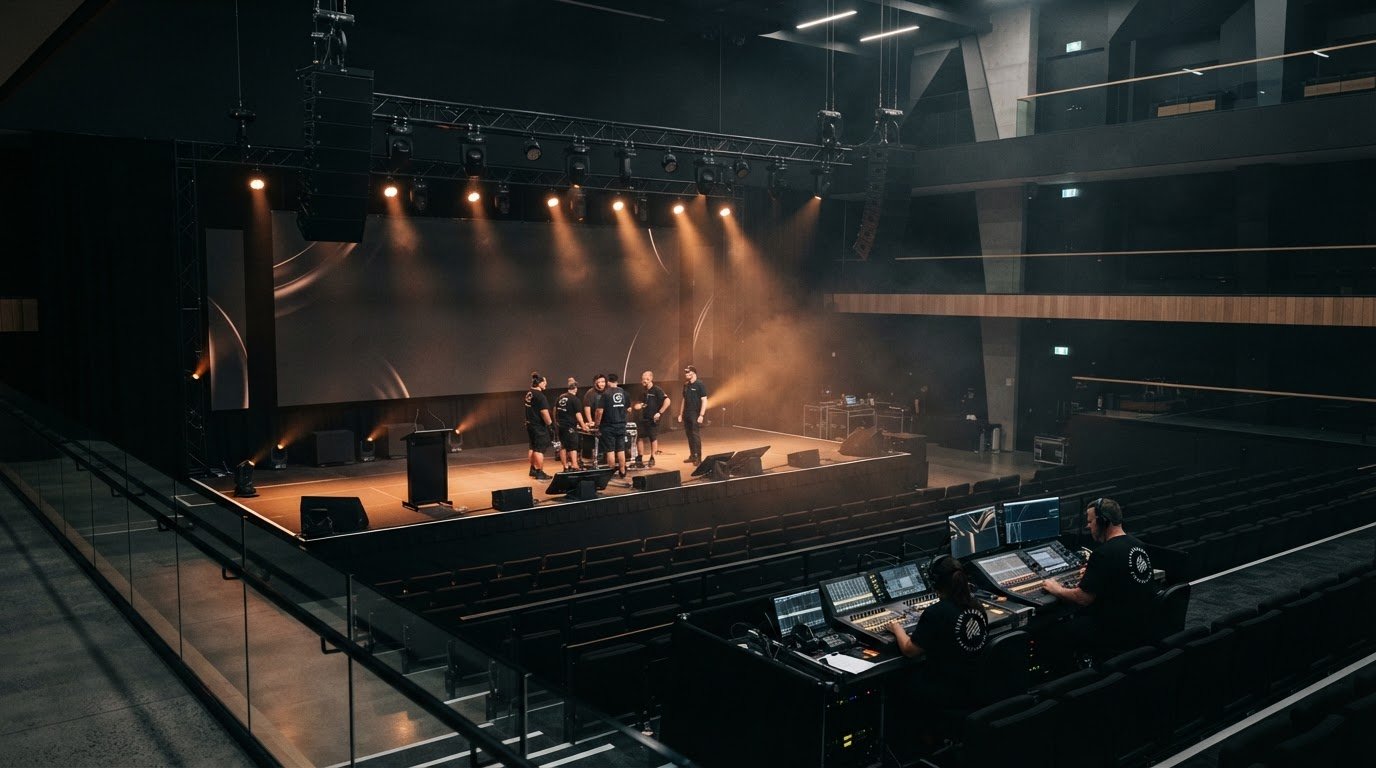
A running order gives operators a shared reference for speaker introductions, presentation changes, camera selections and transitions. Cue notes can make those changes easier to follow. Include the cue, the person responsible and any linked action, such as bringing up a slide when a camera view changes. A clear communication method helps the team respond if a presenter runs over time, a question comes from the floor or the programme changes. Brief presenters on where to stand, how to use microphones and how audience questions will be handled.
Reliable hybrid delivery relies on pre-event testing and clear operator responsibilities, so each person knows what to check, when to act and who to communicate with. Rehearsing key transitions can expose gaps before attendees arrive. It also gives presenters and operators a chance to confirm cues and agree how changes will be managed.
LivewireAV provides hybrid and livestream event production, with full technical production, camera packages and vision switching supported by experienced technicians. If you’re assessing how those elements could work together for your event, explore hybrid and livestream production support from LivewireAV.
How to assess whether hybrid event solutions will deliver a reliable experience
A hybrid event brings together several moving parts. Technical complexity is easier to manage when responsibilities and dependencies are agreed early. Confirm who coordinates the work, who operates each part of the production, and how the team will communicate if the programme changes. These details matter as much as the equipment list when you compare proposals.
Integrated production partner or separate suppliers?
An integrated production partner can coordinate connected technical elements through a shared plan. With separate suppliers, responsibilities may be divided across teams, which can work well when handovers and escalation paths are clear. Neither structure suits every event. The right choice depends on the format, scale and in-house capabilities. Whichever model you use, document one accountable contact for production coordination and confirm where each supplier’s responsibility begins and ends. For example, agree who passes a presenter’s cue to the camera operator and who handles a change to presentation content.
Questions to ask before appointing a production team
Ask how the provider will understand the programme, venue conditions and needs of both audiences. Clarify who operates the agreed equipment, supports presenters and communicates updates on event day. Ask how platform and equipment compatibility will be checked, what testing is planned, and how the team will respond if a cue, speaker or technical dependency changes. Clear answers are more useful than broad assurances.
Use the questions below to compare proposals and request evidence of how the work will be delivered.
These checks help you assess whether seamless hybrid event solutions are supported by a workable delivery process, not just suitable equipment. Look for specific responsibilities, practical documentation and a clear explanation of how the production team will work with your event stakeholders.
How to plan a seamless hybrid event from brief to rehearsal
Start with the event purpose, not a list of equipment. A clear brief gives your production team the information to recommend an approach that fits the programme and both audiences. Set the outcomes, audience groups, format and participation expectations before confirming technical requirements. If a session includes presentations, discussion and questions, note what each audience needs to see and hear during each part.
Build the brief around audience and programme needs
Record expected audience numbers and where attendees will join from, using the details confirmed by your organisers. Map the programme, including presentations, discussions, live questions and any other planned interaction. For each moment, decide what in-room and remote participants need to see, hear or do. This makes it easier to identify camera coverage, audio needs and cues before equipment is selected.
Then confirm practical requirements with the relevant stakeholders:
Venue: Ask about the room layout, available facilities and any conditions that could affect production.
Presenters: Confirm who is speaking, how they’ll present and what support they may need.
Content: Gather presentation materials and confirm how they’ll be used during the event.
Platform and access: Check the event platform’s requirements and compatibility, along with how remote attendees will access the programme.
Participation and accessibility: Agree how questions will be handled and identify any audience access needs to plan for.
This brief becomes the basis for production decisions. It also gives stakeholders a shared reference when content, presenters or programme details change. For broader production-planning context, consider LivewireAV’s article on premium event production in New Zealand.
Use rehearsals and contingency planning to reduce uncertainty
Set aside time to check the event’s key transitions, not just individual equipment. Rehearse presenter handovers, presentation playback, camera framing and audience interaction where relevant. This helps the team check that cues make sense in sequence and gives speakers a chance to practise using microphones and engaging both audiences. Confirm that the online view follows the content and activity as intended, not just that the equipment powers on.
Agree who communicates changes and who makes live production decisions. Document practical responses to likely disruptions, such as a presenter running late, a presentation needing an update or an interaction taking longer than planned. These steps won’t guarantee an uninterrupted event, but they help the team respond with a shared plan rather than guesswork.
A considered brief and rehearsal plan give seamless hybrid event solutions a dependable foundation. Once you’ve clarified your event format and audience needs, discuss a tailored hybrid production proposal with LivewireAV.
What to expect from LivewireAV hybrid event solutions
LivewireAV provides hybrid and livestream event production, supported by full technical production, camera packages and vision switching. The focus is on coordinating production requirements for the event, rather than supplying equipment for clients to operate themselves. LivewireAV provides production services with equipment and on-site technicians, not dry-hire equipment rental.
How LivewireAV supports hybrid and livestream events
Production planning connects the event brief with the technical requirements for the room and online audience. Camera packages and vision switching support the visual side of delivery, while technicians operate equipment and follow agreed cues during the programme. Clear coordination helps presenters, content and transitions stay aligned as the event unfolds.
The right approach depends on your event format, venue, programme and audience needs. Platform compatibility and technical requirements should be confirmed as part of planning, rather than assumed. This gives organisers a practical basis for discussing which production elements are needed and how they will work together.
What to include when requesting a tailored proposal
A useful brief doesn’t need every technical detail settled. Share what you know so the production conversation can focus on your event’s requirements. Include:
Event objectives and format: Explain what the event needs to achieve and how it will run.
Programme and presenters: Outline the running order, speakers, presentations and any content playback.
Audience groups: Describe who will attend in person and remotely, along with planned opportunities to take part.
Venue requirements: Share confirmed details about the room and any known production considerations.
Platform preferences: Name any preferred delivery platform so its compatibility and requirements can be checked.
These details help shape seamless hybrid event solutions around the actual event, not a one-size-fits-all assumption. They also make it easier to identify questions that need resolving before production plans are confirmed.
Ready to discuss your event requirements? Share your event brief with LivewireAV to discuss a tailored production proposal for your hybrid or livestream event.
Plan your next hybrid event with confidence
A connected experience for in-room and remote audiences starts with a clear brief, coordinated production responsibilities and time to test key cues before the event. The technology matters, but so does planning how presenters, content and audience participation fit together across both experiences.
With seamless hybrid event solutions, audio, cameras, vision switching and online delivery are considered as parts of one production plan. LivewireAV provides hybrid and livestream event production, full technical production with on-site technicians, and camera packages and vision switching to support event delivery.
To discuss your event, share its objectives, format, programme, audience groups and any known venue or platform requirements. Discuss your hybrid event requirements with LivewireAV and explore a tailored production proposal.
With the right planning and clear coordination, you can give both audiences a more considered way to experience your event.
Frequently Asked Questions
What makes a hybrid event solution seamless?
A seamless hybrid event solution coordinates the in-room and online experiences through one considered production plan. Audio, camera coverage, vision switching, presenter cues and livestream delivery need to work together, while each audience gets a clear way to follow the programme. The remote experience shouldn’t rely on a room camera alone. Define who operates each element, how transitions will work and how technical requirements will be checked before the event.
How do you keep remote and in-person audiences engaged at the same event?
Plan participation for both audiences rather than assuming a shared room experience will translate online. For example, decide how remote attendees can ask questions, how those questions will reach the presenter, and how people in the room will hear the response. Use clear introductions and transitions so online viewers can follow changes in speakers or content. Engagement depends on programme design as well as technology, so choose interaction that suits your event objectives.
What equipment is needed for a seamless hybrid event?
Equipment depends on the venue, programme, audience requirements and chosen platform. A production plan may include microphones and audio systems, cameras, vision switching, lighting, screens or projection, and equipment for online delivery. Presentations and other playback content also need to be considered. Confirm how the components will connect and whether the event platform is compatible before making final choices. A technical production partner can help assess the requirements against your event brief.
Can a hybrid event work without a professional production team?
It can, depending on the format, venue and technical demands, but organisers still need to assign clear responsibility for setup, operation, cues and communication. A simple programme with limited production needs may be manageable in-house if the team can test the complete setup and support presenters. More involved events can have interdependent audio, cameras, vision switching and livestream delivery. Consider whether your in-house team has the time and capability to coordinate them reliably.
How do you test a hybrid event before it goes live?
Test the full event path, not only individual pieces of equipment. Check microphone clarity, camera views, presentation playback, vision switching and delivery through the chosen platform. Rehearse speaker handovers, audience questions and other planned interactions so presenters and operators can confirm their cues. Include the people responsible for the venue, content and platform where relevant. Confirm compatibility in advance, note any issues, and agree who will resolve them before the event starts.
What happens if the livestream or another technical element fails?
No production plan can promise that every technical issue will be avoided. Organisers can reduce uncertainty by identifying likely disruptions, documenting who makes decisions and agreeing how updates will be communicated. Discuss practical fallback options with the production team, such as how the programme could pause or continue if an element becomes unavailable. The appropriate response depends on the event setup and platform, so confirm the options before the event rather than relying on assumptions.
How early should we plan hybrid event production?
Start planning as soon as the event format and audience needs are being defined. Early discussion gives organisers time to confirm venue conditions, presenter requirements, content formats, platform compatibility and production responsibilities before these decisions become difficult to change. The right lead time depends on the event’s scope and dependencies, so there isn’t one timeline that suits every brief. Share the programme and known requirements with your production partner to identify the next planning steps.
Comments